
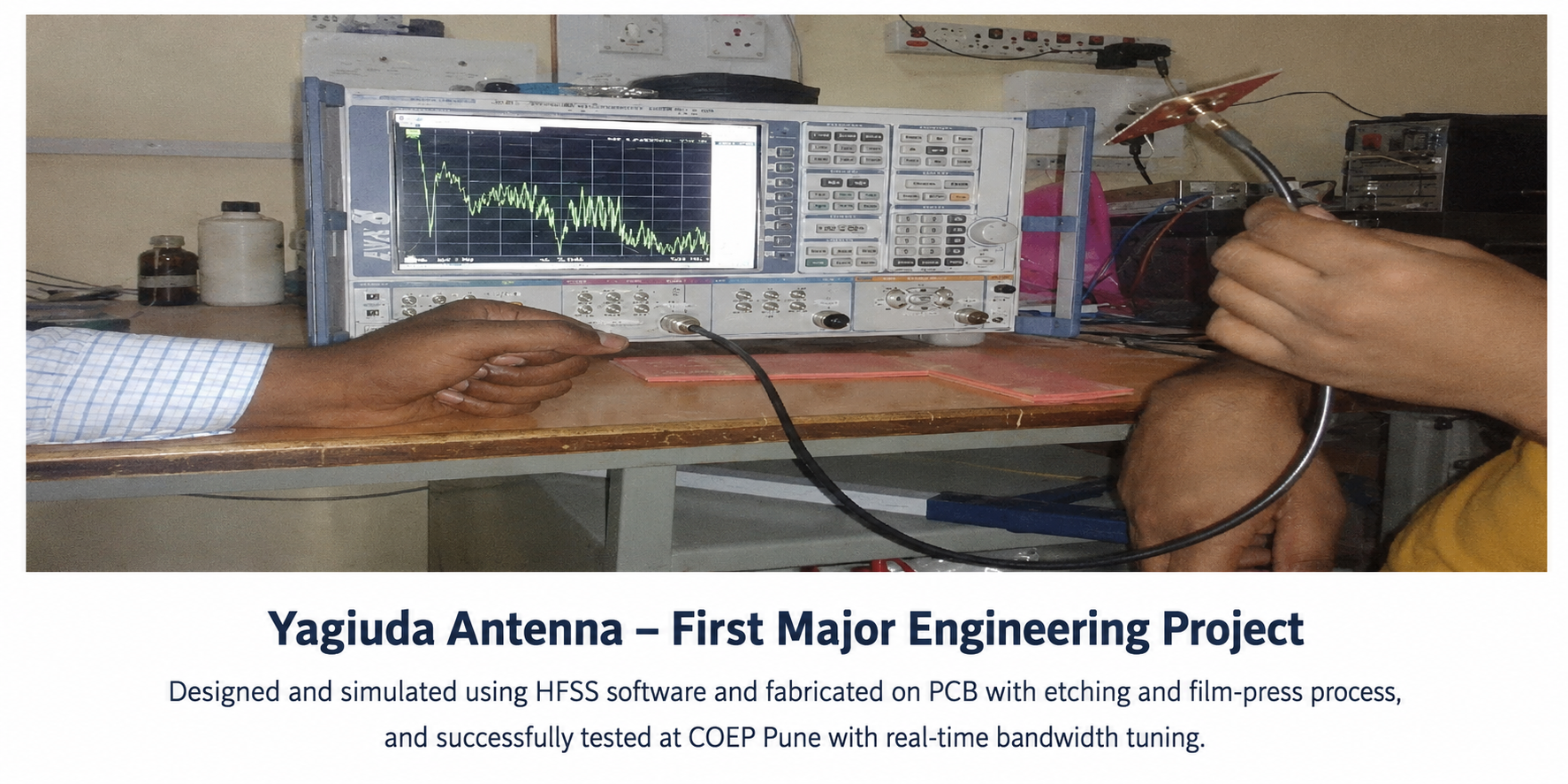
Yagi-Uda Antenna
A practical antenna development project involving antenna design, simulation, PCB fabrication, connector mounting, testing, and real-time bandwidth tuning.
HFSSAntenna DesignPCB FabricationRF TestingBandwidth Tuning
For engineering students
Learn how real-world engineering projects are designed, developed, tested, and implemented — from the initial concept to the final working prototype.
We provide practical, step-by-step guidance for engineering students who want to understand not only what to build, but also how and why it works.

Your mentor
I am a software developer and currently work with Tata Consultancy Services (TCS), a leading global MNC. Along with my professional experience, I have hands-on experience in engineering project development, programming, electronics, automation, and practical implementation.
My objective is to help engineering students understand projects from an end-to-end development perspective rather than simply completing a project for academic submission.
My goal is to help students understand the complete engineering development process — from concept and circuit design to implementation, testing, troubleshooting, and final documentation.
Real hardware, real learning
Every project below was designed, fabricated, assembled, and tested — the same end-to-end process you will learn.
A practical antenna development project involving antenna design, simulation, PCB fabrication, connector mounting, testing, and real-time bandwidth tuning.
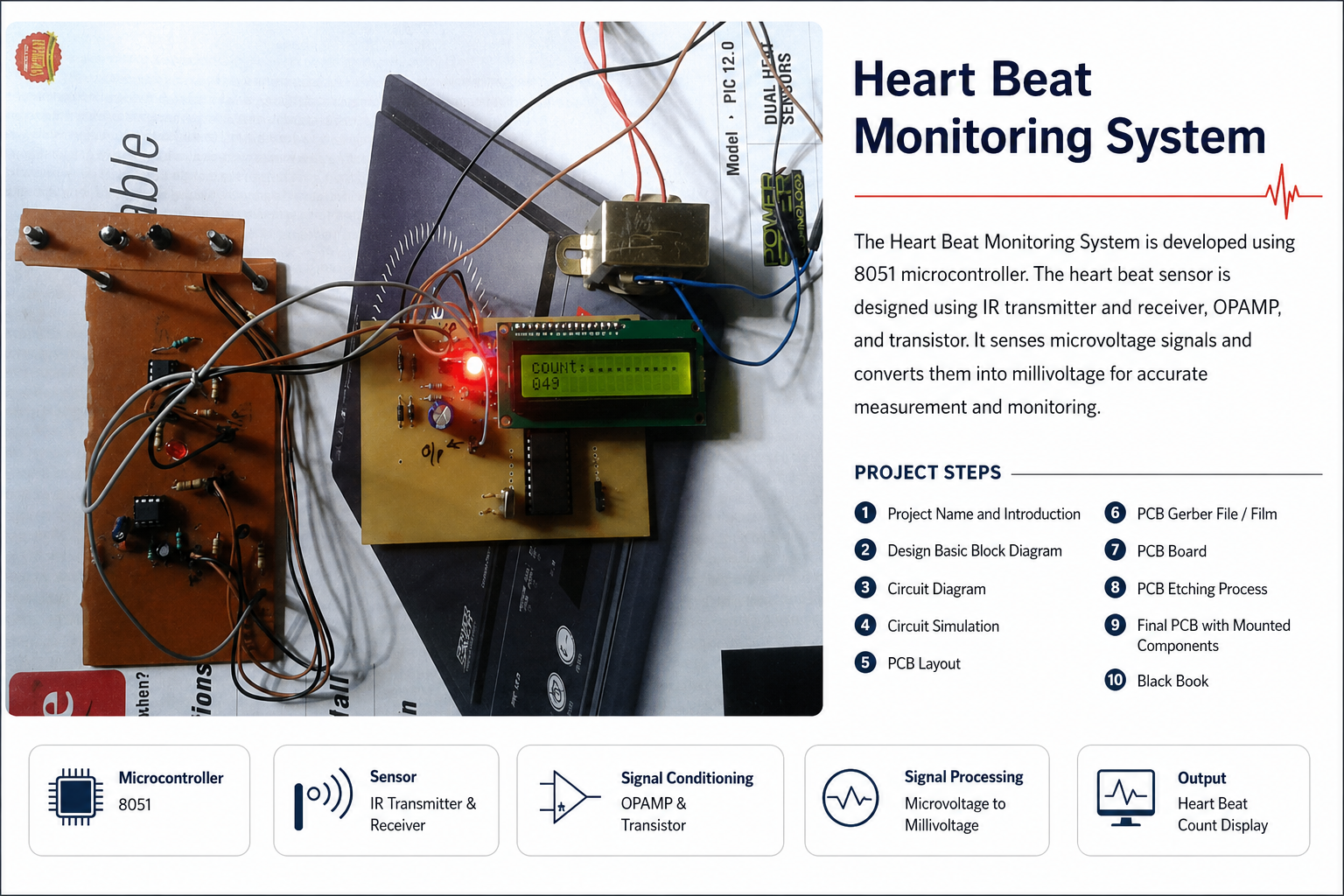
A practical embedded-system project developed using an 8051 microcontroller. It uses an IR transmitter and receiver, OP-AMP, and transistor-based signal conditioning to detect and process heartbeat signals and display the heartbeat count.
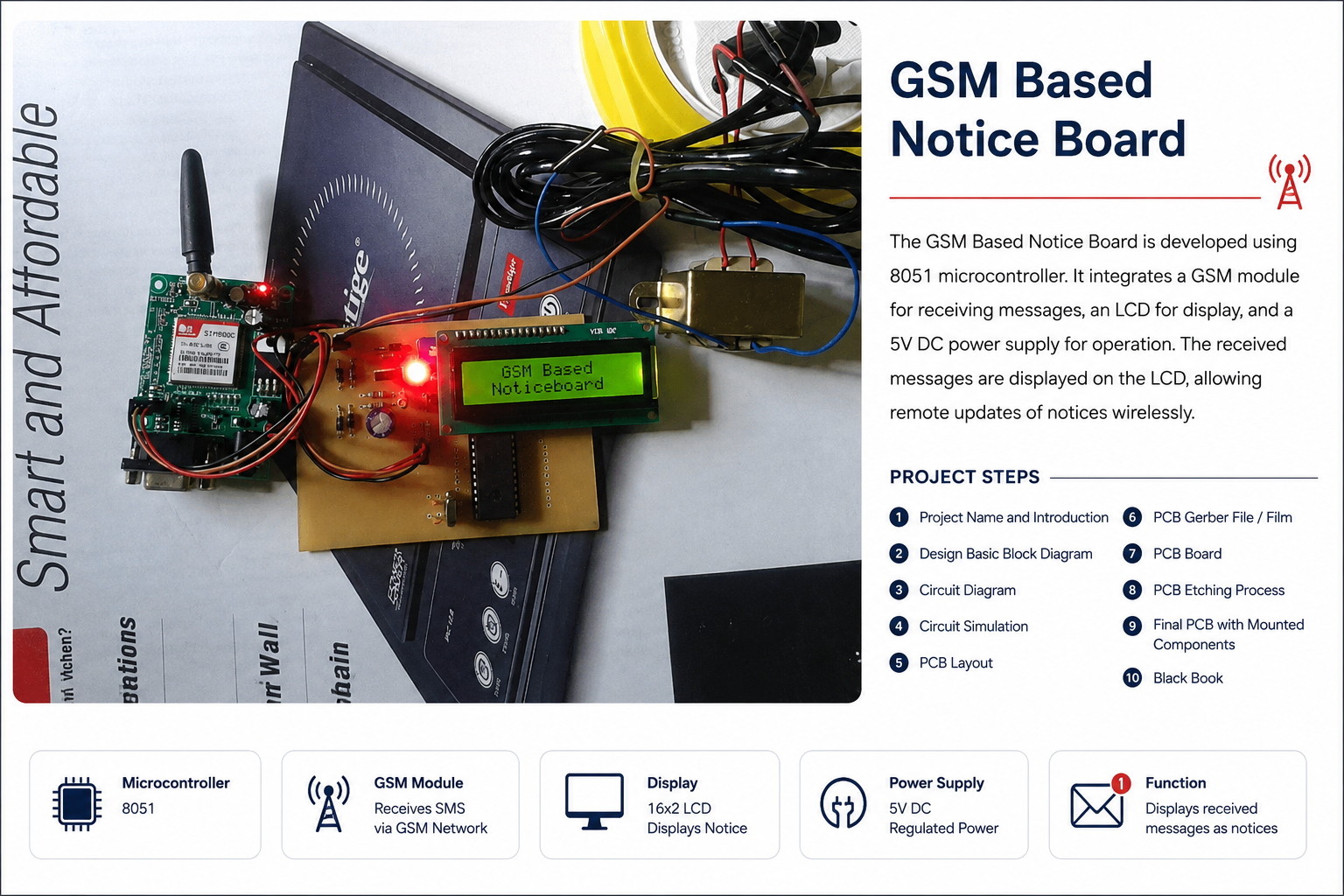
A microcontroller-based wireless notice board that uses an 8051 microcontroller, GSM module, LCD display, and regulated 5V DC power supply to receive and display messages remotely.
The complete process
The full project development journey — the same twelve steps followed in real engineering development.
Understand the problem statement, objective, application, and expected outcome.
Understand the complete system architecture and how different modules communicate with each other.
Develop the circuit diagram, schematic, component selection, and system connections.
Simulate and verify the design before physically building the project wherever applicable.
Learn how to convert the circuit into a practical PCB layout.
Understand the process of preparing PCB manufacturing files and film.
Learn the practical PCB manufacturing and fabrication process.
Understand PCB etching, drilling, soldering, component placement, and board preparation.
Mount the components, connect the modules, power the circuit, and test the system.
Learn how to identify problems, troubleshoot hardware/software issues, and improve system performance.
Integrate all components and demonstrate the complete working project.
Understand how to prepare documentation, technical explanation, diagrams, testing results, and final project reports.
Practical skills
Circuit Diagram & Schematic Design
Block Diagram Development
Electronic Component Selection
Circuit Simulation
PCB Design
PCB Layout
Gerber File Generation
PCB Manufacturing
PCB Etching & Fabrication
Component Mounting
Embedded Programming
Microcontroller Integration
Sensor Integration
Power Supply Design
Hardware Testing
Debugging & Troubleshooting
Project Documentation
Final Prototype Development
The focus is on understanding the process and developing the project practically, step by step.
Electronics practical example
Understand how a basic AC-to-DC power supply is designed and implemented — how AC input becomes usable DC voltage through each stage.
230V AC Input
Standard single-phase AC supply
Transformer
Steps AC down to a lower voltage
Bridge Rectifier
Converts AC into pulsating DC
Filter
Capacitor smooths the pulsating DC
Voltage Regulation
Regulator holds a stable output
DC Output
Clean, usable DC for the circuit
This is an educational engineering concept. Practical mains-voltage work should always be performed with appropriate supervision, isolation, protection, and safety procedures.
Multiple disciplines
Modern engineering projects often combine multiple disciplines — mechanical systems, electronics, sensors, programming, electrical systems, and automation — into a single working prototype.
Our practical learning approach
Our approach is focused on understanding the project rather than simply completing it. Every student should be able to answer the questions on the right — confidently, for their own project.
What are we building?
Why are we building it?
How does it work?
How is the circuit/system designed?
How is it simulated?
How is the PCB developed?
How is the hardware assembled?
How is the software integrated?
How is the system tested?
How do we troubleshoot problems?
How does the final prototype work?
Project support
Project idea guidance
Project selection support
Technical concept explanation
Circuit and schematic guidance
PCB design guidance
Simulation guidance
Hardware development guidance
Programming guidance
Debugging support
Testing guidance
Documentation guidance
Practical learning resources
Community discussions
Project development roadmap
Guidance and mentorship are provided to support your learning. Academic results and project outcomes always depend on your own effort and implementation.
For engineering students
If you are an engineering student and want to understand how real-world projects are designed, developed, tested, and implemented, join our engineering community.